
✨ AI-Powered Image Editing — Free to Start

Free AI Image Editor
Edit with a Single Prompt

Remove backgrounds free, upscale photos to 4K, generate AI backgrounds, resize, and transform images — all in one place. No watermark, no software needed.

🖼️
Drop an image here to start editing
or click to browse  ·  JPG · PNG · WEBP
or describe what you want
6AI tools
Edits / day
FreeTo start
✨ See what you can do with prompts
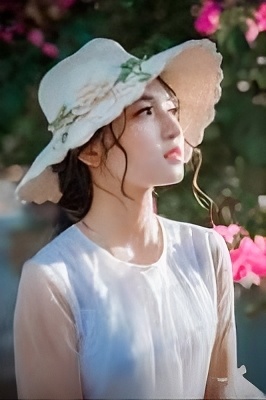
Before and after — raw selfie transformed by JPT AI with text prompts
BEFORE
✦ Real result from JPT AI
🌅 Background
“golden sunset field”
👗 Outfit
“elegant flowing dress”
✨ Style
“cinematic warm glow”
🪄AI Background Removal
🔍4× Image Upscaling
Text-Prompt Editing
💼AI Headshot Generator
Batch Process 100 Images
📤No Watermark on Download
FEATURES

Everything you need to edit images with AI

Six powerful tools in one editor — no plugins, no complex software.

Original with background
Background removed
✂️
Background Removal

Instantly remove any background with AI precision. Works on people, products, objects, and complex scenes — in seconds.

Upload image to try →
AI Image Editing
AI Image Editing

Describe any change in plain English. Transform lighting, swap backgrounds, add effects, change colors — just type what you want.

Upload image to try →
Image Upscaling
🔍
Image Upscaling

Enhance photo resolution and sharpness with AI. Recover fine details, reduce noise, and get sharper results from any image.

Upload image to try →
AI Background Generation
🌅
AI Background Generation

Generate stunning, photorealistic backgrounds from a text description. Studio bokeh, mountain sunsets, cityscapes — anything you imagine.

Upload image to try →
Smart Resize
↔️
Smart Resize

Resize to any dimension with aspect ratio lock. Optimise for Instagram, LinkedIn, print, or any custom size.

Upload image to try →
Color & Light Adjustments
🎨
Color & Light Adjustments

Fine-tune brightness, contrast, saturation, and sharpness with a real-time preview before saving.

Upload image to try →
HOW IT WORKS

Edit images in 3 simple steps

From upload to download in seconds — no learning curve.

1
🖼️
Upload your image

Drag and drop, click to browse, or describe what you want in the prompt box.

2
Edit with AI

Pick a tool from the sidebar or type a prompt — JPT AI handles the heavy lifting instantly.

3
⬇️
Download the result

Save your edited image in full quality. PNG or JPG, ready to use anywhere.

USE CASES

Built for creators, teams, and businesses

Whatever you create, JPT AI makes it faster — and the numbers prove it.

🛍️
E-commerce Sellers
📈 94% higher conversion

Create clean white-background product photos instantly. Consistent, professional, and ready for Amazon, Flipkart, Shopify, and any marketplace.

🎥
Content Creators
📈 35% more shares

Make thumbnails, banners, and social posts stand out with AI-enhanced visuals. High-quality images get 35% more shares on social media.

💼
LinkedIn Professionals
📈 21× more profile views

Remove distracting backgrounds from headshots. Profiles with professional photos get 21× more profile views and 9× more connection requests.

📸
Photographers

Quick background swaps, colour corrections, and 4K upscaling — without needing Photoshop or complex desktop software.

📣
Marketing Teams

Produce on-brand visual content at scale. Edit dozens of images with consistent results using AI prompts. Ideal for ads, banners, and campaigns.

🎨
Designers

Prototype and iterate faster. Use AI editing to explore ideas before committing to full production. Export PNG with transparent backgrounds.

TESTIMONIALS

Loved by creators worldwide

Real results from real users — no stock photos or made-up reviews.

I was spending 30 minutes per product photo in Photoshop. Now I process 40 images before morning coffee. JPT AI saved my business.

PS
Priya Sharma
E-commerce Owner

The 4K upscaling is incredible. I restored old family photos that were tiny and blurry — results look like they were shot on a professional camera.

RM
Rahul Mehta
Freelance Photographer

Background removal is flawless even on complex hair. My team switched from remove.bg — same quality, way more tools in one place.

SP
Sneha Patel
Social Media Manager
COMPARISON

JPT AI vs the alternatives

One tool. Everything included. No hidden paywalls.

Feature✦ JPT AIPhotoshopremove.bg
Background Removal
AI Image Editing (text prompts)
4K AI Upscaling
AI Background Generation
No watermark (free tier)
No account required to try
Works in browser (no install)
Batch processing
ABOUT JPT AI

The best free AI image editor online — no watermark, no signup friction

Free AI Background Remover

JPT AI's background remover uses deep learning to detect and separate subjects from any background in seconds. Whether you're editing product photos for e-commerce, removing backgrounds from portraits, or preparing images for marketing materials — our AI delivers clean cutouts with no manual effort.

Unlike other online background removers, JPT AI outputs full-resolution PNG with transparency — no watermarks, no degraded quality, free to use.

AI Image Upscaler — Upscale to 4K Online Free

Our AI upscaler uses super-resolution technology to enhance image quality by up to 4×. Restore old blurry photos, enlarge low-resolution product images, or upscale AI-generated art to print quality — all without Photoshop.

Perfect for e-commerce sellers who need high-resolution product photos, photographers restoring old images, and creators upscaling AI-generated artwork.

Edit Images with Text Prompts

Describe any edit in plain English and JPT AI makes it happen. “Make the background a sunset”, “add professional studio lighting”, “remove the object on the left” — no Photoshop skills required.

This is the fastest way to edit photos online for non-designers, social media managers, and anyone who needs quick, high-quality image edits without learning complex software.

AI Headshots & Professional Photos

Create professional AI headshots for LinkedIn, company directories, and resumes. Remove distracting backgrounds, replace with clean office or outdoor environments, and look polished in every photo.

LinkedIn profiles with professional headshots get 21× more profile views. JPT AI makes it possible without expensive photography sessions.

FAQ

Frequently asked questions about JPT AI

Start editing for free

No credit card required. 5 free trials, plus unlimited free basic upscale.

Get Started Free